← ELI5 中文
GET IT AT A GLANCE

GitHub,
Explained

The whole thing, start to finish · for people who never write code
No. 6Inside Computers & the InternetPart 4 of 20
1

The short version

GitHub is a shared
filing cabinet with a
time machine,
used by programmers
all over the world.

It doesn't just keep the latest version of a file. It keeps every change, from day one until today. Want to go back to any day? You can.

2

First, clear up
the biggest mix-up

WHAT YOU THINK
A cloud drive
Upload, store, download when needed. New versions overwrite the old ones.
WHAT IT IS
A running logbook
It records who changed which line, on which day, and from what to what. Not one old entry is ever lost.

In short: a cloud drive tracks what things look like now. GitHub tracks how they got that way.

3

One metaphor
explains it all

Each circle = one save point Like a video game, saving as you go

Think of it as save files in a video game.

Every time you finish a small chunk of work, you save, and you write one line: "here's what I changed." Saves never disappear, and you can load any of them. About 80% of GitHub's vocabulary makes sense through this one picture.

4

How one person
uses it

1. Open a cabinetrepository The cabinet that holds everything for one project. One project, one cabinet
2. Make a savecommit Freeze this change in place, with a one-line note on what you did
3. Fork off to experimentbranch Start a parallel line from any save point and tinker, without touching the copy people are using
4. Merge it back if it worksmerge Fold the results of the side line into the main line. If it failed, throw the whole side line away. The main line is untouched
5. Send it onlinepush Sync the saves on your computer to GitHub so others can see them. Fetching changes the other way is called pull

Working alone, these five steps are enough. The "many people" part starts now.

5

How many people
avoid fighting

This is where GitHub earns its keep. Hundreds of strangers can edit the same thing without chaos because of one rule: nobody touches the main line directly.

1. Copy it firstfork Copy someone else's whole cabinet under your own name. Change anything you like; theirs stays untouched
2. Say hello when donepull request "I'm done. Would you take a look and accept it?" with the changed lines attached
3. Someone looks it overreview The cabinet's owner reads line by line. They can comment, send it back, or just nod
4. Only a nod gets it inOnly after this step do your changes land in the copy everyone uses

In short: the main line belongs to everyone. To touch it, you hand in a note and someone signs off. That rule is the whole secret of why it stays tidy.

6

The buttons
on the page

IssueThe notice board: found a problem or have an idea? Open an entry and everyone discusses below it
StarLike plus bookmark: "this is nice," saved to your own favorites
WatchFollow: get a ping whenever this cabinet changes
READMEThe instruction sheet on the cabinet door: what this is and how to use it. Read it first
ActionsThe automatic assembly line: the moment you save, it runs checks and publishes for you
Green squaresThe wall on your profile: any day you saved turns green, so a year looks like an attendance sheet
7

A cheat sheet
of terms

Come back here when you meet a word you don't know. No memorizing.
Gitthe tool
The change-tracking skill itself. It lives on your own computer and works offline
GitHubthe website
The place that puts this skill online and adds teamwork features. Git is the skill; GitHub is the venue
Repositorythe cabinet
One project's cabinet, holding all the files plus all their history
Commita save
One save, with a line saying what changed
Branchside line
A parallel line split off from a save point, made for trial and error
Mainmain line
The line everyone actually uses. Usually the cleanest and the one you must not mess up
Mergecombine
Fold a side line's results back into the main line
Conflictclash
Two people changed the same line. The machine won't guess, so a human picks which to keep
Clonecopy down
Pull the whole online cabinet onto your own computer
Forkcopy over
Copy someone else's cabinet under your own name
Push / Pullsend / fetch
Send your changes up / bring online changes down
Pull Requestmerge request
"I'm done, please take a look." The phrase you'll hear most in teamwork
Issueticket
Where you report problems, request things, and start discussions
Releaseofficial version
Package a save point as an "official version," number it, and send it out
Open Sourceopen to all
Make the cabinet public so anyone can look, use it, and suggest changes
8

One thing
to be careful about

A public cabinet
can be opened
by the whole world
And because it records history, even if you delete a password later, it is still sitting in the old save. Deleting doesn't make it gone. So never put passwords, keys, or customer lists in at all. It's the most common beginner trip-up.
GitHub isn't really about
storing files. It turns
"changes" into something
people can discuss.
You can use it without writing code: articles, proposals, any document that keeps changing. The problem it truly solves is this: when a group edits the same thing at once, how do you avoid chaos, keep a trail of everything, and still be able to rewind at any time?
UP NEXT

Branch vs. Worktree: What's the Difference?

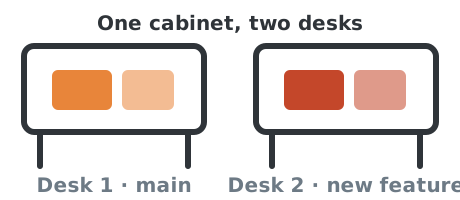
A branch is which lines of work exist; a worktree is the desk you lay one out on. Why a second desk beats copying, and when you need one.
No. 10 · 4 minKeep going →
← Back to ELI5