Mac full?
Picking an external drive
Can't play sound? The illustrated version is right below.
Read the transcript
The full narration of the video.
The box says two thousand per second. Plug it into a Mac, and you get just over one thousand. The extra money? Wasted. Your Mac is out of space and you want an external drive. So what should you look for? First, why external at all? On most Macs, the storage is soldered to the board. Once you buy it, you can't add more.
Think of your Mac as your home. The built-in drive is the closet: handy, but pricey. An external drive is a storage unit downstairs. One: what goes downstairs? Apps you use every day stay home. Photos, videos, finished projects: bulky and rarely opened. Move them down. Two: which kind of storage unit? One kind has a spinning platter inside, like a record player. Cheap and roomy, but slow, and it hates being dropped.
The other is all chips, no moving parts. About ten times faster. And bumps don't bother it. If you grab things from it every day, go with chips. For backups you plug in now and then, a spinning one is fine. Three, the easiest place to slip up: how wide is the road? Everything travels through a port on your Mac. Then through a cable. If the road is narrow, a fast box doesn't help.
Take an ordinary external drive and plug it into a Mac. The port tops out around one thousand per second. So the ones labeled two thousand can't run flat out on a Mac. Don't pay extra for that. For real speed, get one marked Thunderbolt. It can go past two thousand. Same with the cable. Apple's charging cable moves data twenty times slower. Use the cable that came with the drive.
Four: change the lock to a Mac lock. When a new drive arrives: wipe it first with Disk Utility, which comes with your Mac. Mac only? Choose the one called APFS. Also using it with a Windows PC? Choose exFAT. Wiping erases everything, so copy anything on it off first. Five: how big? For the drive that backs up your Mac automatically: Apple suggests at least twice your Mac's storage.
One more thing people miss: once you move it down, the copy in storage is the only copy. If that drive dies, it's all gone. Keep a second copy of the photos that matter. Now open System Settings, then General, then Storage: see what's taking up the most room. Come back and tell me what's the biggest thing in your closet.
Says 2000,
runs at 1000
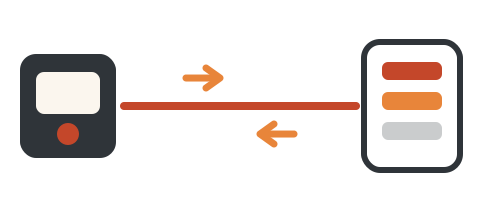
Speed isn’t just about the box. It’s also the port on your Mac and the cable in between. If the road is narrow, a fast box doesn’t help.
Before you buy, settle these five things.
The closet at home,
the storage unit downstairs
On most Macs the storage is soldered to the board. Once you buy it, you can’t add more. The only way to get more room is to plug a drive in.
The built-in drive is the closet at home: handy, but pricey. An external drive is a storage unit you rent downstairs.
Storage isn’t memory: they do different jobs. See this episode.
One:
what goes downstairs
Moving your Photos library has three rules: the drive must use a Mac format (see Four), it can’t be your Time Machine backup drive, and it must be plugged in when you open Photos.
Two:
spinning disk or chips
Grab files from it every day? Get chips. Just backups, plugged in now and then? A spinning one is fine.
Three:
how wide is the road
Files travel through a port on your Mac, then through a cable. The narrowest part sets the speed (rough megabytes per second below).
A regular USB drive on a Mac tops out around 1000 per second. Drives rated 2000 (labeled “USB 3.2 Gen 2×2”) can’t run flat out on a Mac, so don’t pay extra for them.
Thunderbolt Want real speed? Get a drive marked Thunderbolt. On a Mac it can reach 2,500–3,000.
Same with cables: Apple’s charge cable moves data at about a twentieth of that speed. Use the cable that came with the drive. Some Macs have two ports that differ (the MacBook Neo’s right port is slower), so use the left.
Four:
switch to a Mac lock
When a new drive arrives, erase it once in Disk Utility, which comes with your Mac. That changes the lock. Erasing wipes everything, so copy off anything on it first.
Five:
how big
For your automatic backup drive, Apple suggests at least twice your Mac’s storage.
A 512GB Mac means a backup drive of 1TB or more. For the photo and video drive, double what you have now and it will last years.
Once you move it,
it’s the only copy
it’s all gone After you delete it from your Mac, the copy in storage is the only one. Keep a second copy of photos that matter, on a backup drive or in the cloud.
and find the biggest item.
Come back and tell me: what’s the biggest thing in your closet?
Quick check
Why does a drive labeled 2000 per second often run at about 1000 on a Mac?
The narrowest part of the road sets the speed: a regular Mac port tops out around 1000, so a faster box can’t squeeze through.