Buying a monitor:
which specs
are a scam?
Can't play sound? The illustrated version is right below.
Read the transcript
The full narration of the video.
When you buy a monitor, the biggest number on the spec sheet is often the one to ignore. The product page says: contrast 150,000 to 1, 1 ms response, and an HDR badge. Some of those lines were measured at the single most flattering moment.
Like a supermarket sign that says 'up to 90% off', and only one item in the corner really is. Start with contrast: how many times brighter the whitest white is than the darkest black. Dynamic contrast measures black with the backlight turned all the way down, then white with it turned all the way up, and glues the two moments into one number.
But in a real photo, black and white are on the screen at the same time. The number to look for is native contrast. Most screens sit around 1,000 to 1, and a type called VA reaches over 3,000. One monitor sold as 150,000 to 1 was really 3,000 to 1 native.
On an OLED, each pixel can switch itself off, so black is truly black. '1 ms response' is how long a pixel takes to change from one color to another. Makers often pick the fastest color change and crank the speed boost to max. In everyday use, it often takes several milliseconds.
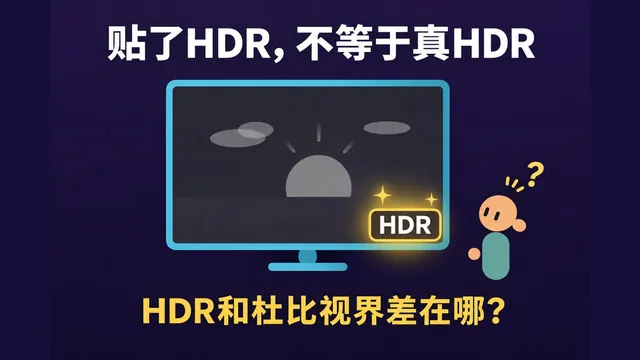
DisplayHDR 400 is the lowest HDR tier. It doesn't even require local dimming. Local dimming splits the backlight into many zones and dims the dark parts on their own. Without it, dark scenes in HDR often look gray. On a spec sheet, 'up to' hides behind words like dynamic, fastest and peak.
The numbers that matter share one thing: they're the same whenever you measure them. For sharpness, read resolution and size together. At 27 inches, 1080p packs about 82 pixels per inch. 1440p packs about 109, and text looks much finer.
That's called pixel density. Spec sheets often skip it, but you can work it out from resolution and size. For smoothness, check the refresh rate, in hertz: how many new pictures the screen shows each second. 60 hertz means 60 pictures a second, 144 hertz means 144. Dragging windows and gaming both feel snappier.
For color, check how much of sRGB it covers. '72% NTSC' only compares the size of an area. Same size doesn't mean the same colors. Next time, skip any number labeled dynamic or fastest. Find three lines first: size with resolution, refresh rate, native contrast.
If you're still unsure, check an independent screen review. What's the refresh rate on the monitor on your desk?
The "up to 90% off"
on a spec sheet
Some big numbers were measured at the single most flattering moment.
Like a sign that says "up to 90% off" when only one item in the corner is. On a monitor spec sheet, these numbers usually come with words like "dynamic", "fastest" or "peak".
A 150,000:1
contrast ratio
Contrast is how many times brighter the whitest white is than the darkest black.
"Dynamic contrast" measures black with the backlight turned all the way down, then white with it turned all the way up, and glues the two moments into one number. But in a real photo, black and white are on the screen at the same time.
Most LCD screens sit around 1000:1 native; VA panels reach over 3000:1. On an OLED, each pixel switches itself off, so black is truly black.
"1 ms" is
the fastest case
Response time is how long a pixel takes to change from one color to another. Makers often pick the fastest change and crank the speed boost (overdrive) to max. In everyday use, it often takes several milliseconds.
HDR400 is
the lowest tier
Local dimming splits the backlight into many zones and dims the dark parts on their own. HDR400 doesn't require it, so dark scenes in HDR often look gray.
Useful numbers
never change
At 27 inches, 1080p packs about 82 pixels per inch and 1440p about 109, so text looks much finer. That's pixel density. Spec sheets often skip it, but you can work it out from resolution and size.
Refresh rate is measured in hertz (Hz): 60Hz shows 60 pictures a second, 144Hz shows 144. Dragging windows and gaming both feel snappier.
72% NTSC
compares area
"72% NTSC" only compares the size of two color ranges. Same size doesn't mean the same colors. For color, check how much of sRGB it covers.
Next time,
find three lines
Still unsure? Check an independent screen review.
of the monitor on your desk?
Quick check
Which spec best tells you how far apart a screen's black and white are?
Dynamic contrast glues two moments together, like an 'up to 90% off' sign. Native contrast has black and white on screen at once.