How can a cable
tap your phone
for you?
Can't play sound? The illustrated version is right below.
Read the transcript
The full narration of the video.
How can a single cable tap your phone's screen for you? A programmer plugs a phone into a laptop. Nobody touches it, yet an app opens all by itself. It isn't magic, and it isn't a virus. Let's follow the cable inside.
Normally, a phone plugged into a laptop just charges. To move photos, you have to tap yes. But Android phones hide another road: tap the build number seven times, and a secret menu appears, called Developer options. Inside is a switch called USB debugging. Turn it on, and the cable gains a lane just for programmers.
That lane is like a supermarket's staff entrance. Shoppers use the front door: browse, pay, leave. Staff swipe a card at the back: stock shelves, watch cameras, move inventory. The laptop takes the back door. It can install apps, capture and record the screen, copy files, and tap anywhere on it for you.
So how does it get in? With a staff card. The first time a computer connects, the phone pops up a box: Allow debugging from this computer? The gibberish below it is that computer's fingerprint. Tap Allow, and you've handed it a card. Tick Always allow, and the card is registered at the gate; from then on it walks right in.
So yes, the sneaky part is real: once the card is issued, the phone won't stop to ask at every step. The reverse is true too. If you never turned on debugging or tapped Allow, that cable is usually just a charging cable. The real name of this staff lane is ADB, short for Android Debug Bridge.
The USB debugging switch in Developer options is the lock on the back door. A key stored on the computer is the staff card. Programmers use it every day: they load a new app to test it, and when something breaks, pull the logs out the back door. Phone repair techs and people loading apps onto TV boxes use this door all the time.
But a supermarket checks the person, while a phone checks the computer. Anyone sitting at that registered computer can walk in. So what you guard isn't the cable, it's the card. A USB port on an airport or mall wall might have a computer behind it too. If it pops up that box, just tap Deny.
Developer options also has a line: Revoke USB debugging authorizations. Tap it, and every card you've handed out is cancelled. iPhones don't use ADB, but plug one in and it asks whether to trust this computer: the same idea. Open Settings now and search for USB debugging. Then come back and tell us: is your switch on?
Nobody touched it,
yet the app opened
A programmer plugs a phone into a laptop. Hands off, and an app opens by itself.
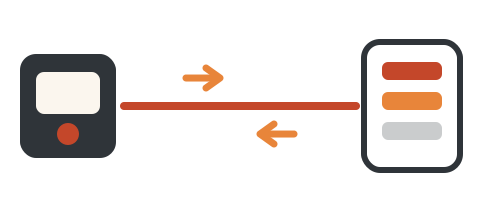
It isn't magic, and it isn't a virus. The secret is in the cable: besides charging, it can carry a second road.
One cable,
a front and a back door
In plain words: the cable is the same. What changed is a switch on the phone.
How the back door
opens
The gibberish in that box is the computer's fingerprint. The staff card is really a key stored on the computer.
What the card
lets it do
Tick "Always allow", and the card goes on the phone's gate list. From then on that computer walks right in, and the phone won't ask at every step. So yes, the sneaky part is real.
The reverse is true too: if you never turned on USB debugging or tapped Allow, the cable usually just charges.
Its real name
is ADB
ADB, the Android Debug Bridge: a bridge between a computer and an Android phone.
Programmers use it every day: load a new app to test it, and when something breaks, pull the logs out the back door. Phone repair techs and people loading apps onto TV boxes use this door too.
iPhones don't use ADB. But plug one in and it asks "Trust This Computer?" Same idea.
Guard the card,
not the cable
A USB port on an airport or mall wall might have a computer behind it. If a box pops up, just tap Deny.
Developer options also has "Revoke USB debugging authorizations". Tap it, and every card you handed out is cancelled.
search "USB debugging"
Quick check
You plug your phone into a strange computer. When can that computer tap your screen and copy files?
The cable is just a road; the staff entrance needs USB debugging on and an Allow tap that hands out the card.